Get the vr99 app onto your Android phone
The vr99 app fits the whole lobby, live dealer tables and sports markets into a 58 MB file. Download the APK here, install it once, then sign in with the account you already use on the site. Nothing about your balance or bonus changes when you switch.
Reading this on a desktop? The download panel below carries a QR code you can point a phone camera at, so the file lands on the right device the first time.
Download vr99 App (APK) for Android
This page is the only place you need: vr99.apk, 58 MB, built for Android 8.0 and newer. It installs like any normal app, keeps the same login as the website, and gets replaced whenever a new build is published here. No account is created by installing the file.
- Version 3.2.12, published 10 November 2026. Check that number before you install over an older build.
- Free to download. There is no charge for the APK, no subscription and no ad module bundled in.
- English and Bahasa Melayu menus, with ringgit balances shown the same way as on the site.
- One account covers the app, the mobile browser and the desktop lobby, so progress follows you.
Scan the code to reopen this page on your phone. Point your camera at it and the browser loads vr99.site, not a third-party mirror.
| Version | 3.2.12 |
|---|---|
| File size | 58 MB |
| Minimum Android | 8.0 |
| Last updated | 10 November 2026 |
| Cost | Free |
| Languages | English, Bahasa Melayu |
Check vr99 app permissions before you install
A sideloaded APK sits outside Google Play, so Android hands you the decision instead of a store reviewer. Read what the file asks for, then keep the download to one source.
-
Storage, network and notifications only
The vr99 app asks for internet access, local storage for its cache and permission to send notifications. It does not request your contacts, SMS inbox, call log or location. If a file on a messaging group asks for those, it is not our build.
-
One download source, this page
Take vr99.apk from vr99.site and nowhere else. Files forwarded through WhatsApp or Telegram can be rebuilt by whoever sent them, and Android has no way to warn you. Delete any copy that did not come from this page.
-
Sign in on a connection you trust
Cafe and hotel Wi-Fi is convenient and easy to watch on the same network. Use your own mobile data or home connection for the first sign-in and for any withdrawal request, and log out properly if you lend the phone to someone.
-
Updates arrive as a fresh APK
Because the app is installed outside the store, Google Play will not push updates to it. Come back to this page when the version number moves, install over the old build and keep your login. Your balance never sits inside the file itself.
Install the vr99 app in five steps
The whole job takes a few minutes on a steady 4G signal. Do it once, on the handset you actually play on, and keep the screen awake while the file unpacks.
-
Allow installs from your browser
Open Settings, then Apps, then Special access, then Install unknown apps. Pick Chrome, or whichever browser you download with, and switch Allow on. Android 8.0 and newer sets this per app, so a second browser needs the same toggle before its downloads will run.
-
Download vr99.apk
Tap the Download APK button on this page. Chrome shows a progress bar in the notification shade, and the 58 MB file usually finishes in well under a minute on 4G. Keep the screen on and stay on the same network until it completes.
-
Open the file and confirm
Tap the finished download, or find vr99.apk under Files, then Downloads. Choose Install and wait while Android verifies and unpacks it. Play Protect may ask once; confirm only if the file came from vr99.site and nothing else.
-
Sign in with your existing account
Open the app and use the same username and password as the website. Returning players are finished at this point. New players can register first on the sign-up page, then come back and log in with those details.
-
Set notifications and a deposit method
Allow notifications so withdrawal updates reach you, then add Touch 'n Go eWallet, DuitNow or FPX inside the cashier. A deposit clears in about 6 minutes, and the balance you see is the same one the website shows.
On iPhone: add vr99 to your home screen
There is no iOS build of the vr99 app, so the APK will not install on an iPhone. Safari users get a home-screen shortcut instead, which opens the mobile site full screen without the address bar and keeps you signed in between sessions.
- Open vr99.site in Safari, not in an in-app browser inside another app.
- Tap the Share button, scroll the sheet and choose Add to Home Screen.
- Name it vr99 and tap Add. The icon then opens the lobby in one tap.
vr99 app or browser: which suits your week
Both routes reach the same account and the same 4,700 games. What changes is how the phone behaves around them: the app holds a session and pushes alerts, while the browser needs no install and leaves nothing on the device.
| What you compare | vr99 app | Mobile browser |
|---|---|---|
| Install | vr99.apk, 58 MB, installed once | Nothing to install |
| Signing in | Stays signed in until you log out | Asks you to log in again after a while |
| Notifications | Withdrawal and bonus alerts reach the phone | Only if browser alerts are allowed |
| Data use | Caches thumbnails, so repeat visits load light | Reloads the lobby each session |
| Games | Full lobby, all seven providers | Full lobby, same titles |
| Cashier | Touch 'n Go and FPX details saved after the first use | Details retyped more often |
| Live dealer video | Steadier on a stable 4G signal | Depends on how many tabs are open |
| Storage | 58 MB plus the cache it builds | Nothing beyond browser cache |
Choose the app if you play on one phone and want withdrawal updates without watching a tab. Choose the browser if you move between devices or share a handset with family. You can keep both, since the balance, bonus wagering and VIP progress live on the account.
What the vr99 app does well on mobile data
These are the parts that matter once the novelty of a new icon wears off: fewer taps to deposit, clearer updates on money leaving the account, and a lobby that still opens on a mid-range phone.
Saved wallets and bank details
Touch 'n Go eWallet and DuitNow details stay on file after the first top-up, so a repeat deposit is two taps. FPX keeps your bank choice too, which matters when you fund from the same account every week.
Withdrawal alerts that reach you
The cashier shows the request going in and the notification tells you when it clears. Payouts usually land in about 5 minutes, and you no longer need to keep a tab open to find out whether it worked.
A lobby that loads as you scroll
Thumbnails arrive only when you reach them, so the 4,700-game lobby opens fast on 4G and never spends data on titles you skip past. Filters sit in a drawer and keep your place in the list.
Ringgit figures, no conversion
Bets, bonuses and cashback all read in RM, with numbers lined up so the last digit is easy to check at a glance. Nothing is converted at the till, and the minimum deposit stays at RM30 across the app.
Live chat without leaving the table
Support runs 24/7 through live chat inside the app. Open it from the menu while a live blackjack hand is running and the table stays exactly where you left it, so a question costs you a hand, not a session.
Bonus and VIP in one menu
The welcome offer, the 15% reload and the VIP ladder share a single screen. You can read the 10× wagering on the 130% first-deposit deal before claiming anything, and check cashback progress after claiming.
Play slots, live tables and crash inside the app
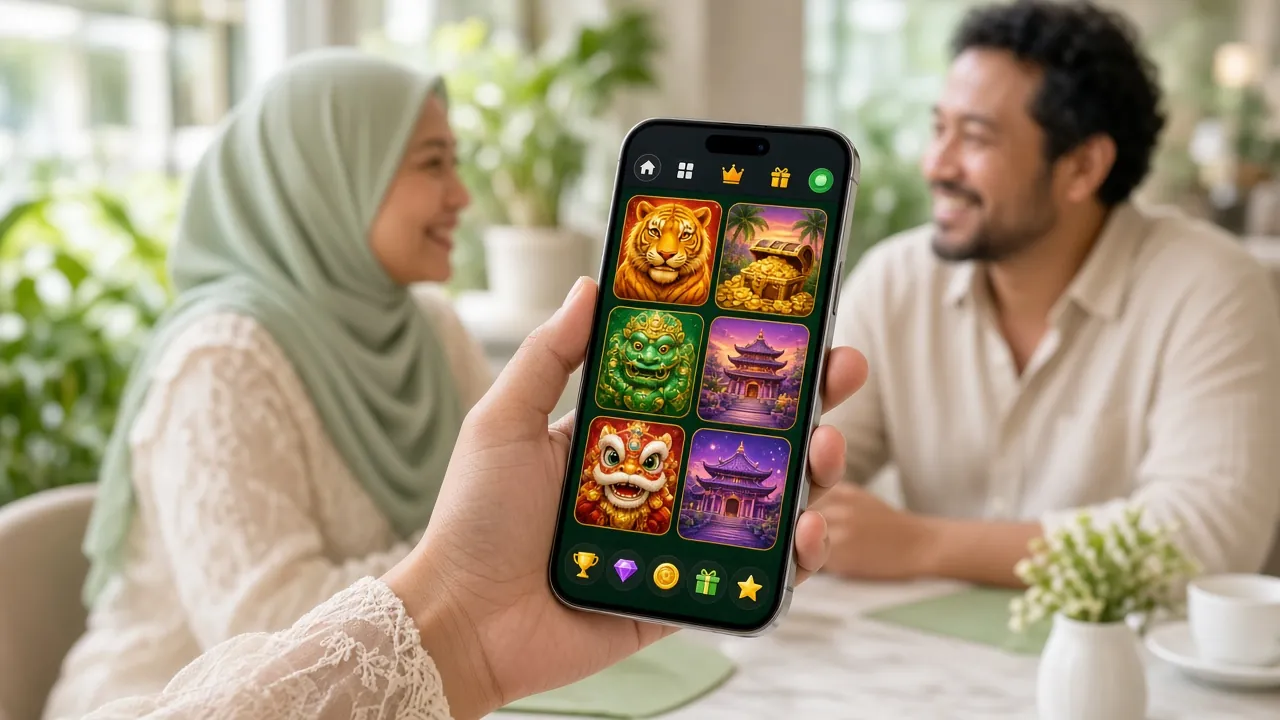
The app opens on the same lobby as the site, with slots, live dealer tables, crash games and sports markets under one balance. A side drawer holds the filters, so you can move from a Red Tiger slot to a live table without scrolling back to the top of the page.
- Slots and jackpots from Red Tiger, PG Soft, KA Gaming, Habanero and Spribe, with the RTP printed on each card before you open the game.
- Live dealer tables such as European Blackjack, dealt in real time with ringgit limits that start from RM1 a hand.
- Crash and instant games for short sessions between football matches, where the round ends in seconds rather than minutes.
- Sports and football markets on the same account, with cash-out on selected matches while the game is still running.
Stakes inside the app begin at RM0.10 on some titles and run to RM2,500 on the high-limit tables, so the same lobby works for a casual RM5 session and a longer night. Tap any card to open it in the register flow if you have not signed in yet.


Match the vr99 app to your phone
Android 8.0 is the hard floor. Below that the file may install and then shut itself down the moment it opens, which is why the version line matters more than the age of the handset.
| Android version | 8.0 or newer |
|---|---|
| Install size | 58 MB |
| Latest version | 3.2.12 |
| Last updated | 10 November 2026 |
| Price | Free |
| Languages | English, Bahasa Melayu |
| Free storage | The 58 MB install plus room for thumbnails and video cache |
| Connection | 4G or stable home Wi-Fi for live dealer tables |
Check the version in Settings, About phone before you download, then leave some free space so the cache can hold game art between sessions. Phones that pass these two checks generally run the lobby without closing, and the cashier loads on the same connection you use for banking apps.
Fix a vr99 app install that fails
Most failed installs come down to a partial file or a permission set on the wrong app. Work down this list before you start over with a fresh download.
| What you see | Likely cause | What to do |
|---|---|---|
| Install button greyed out | Unknown sources is still off for the app you opened the file from | Enable it for Files or Chrome, not only for the browser that downloaded the file. |
| “App not installed” or a parse error | Partial download, usually a dropped connection mid-transfer | Delete vr99.apk from Downloads, reconnect, download again and confirm the size reads 58 MB. |
| Installs, then closes straight away | Android older than 8.0, or almost no free storage left | Check the Android version in Settings, clear space from photos and videos, then reinstall. |
| New build will not install over the old one | A copy from a chat group carries a different signature | Uninstall the old app, install vr99.apk from this page, then sign in again with your usual details. |
| Login rejected after install | Password retyped with autocorrect on, or the account needs a reset | Type the password with autocorrect off, reset it on the login page, and use live chat if it still refuses. |
Still stuck? Open the login page in a browser to confirm the account works there, and keep the error message handy. Support runs 24/7 through live chat and can tell you whether the problem sits with the file or the account.